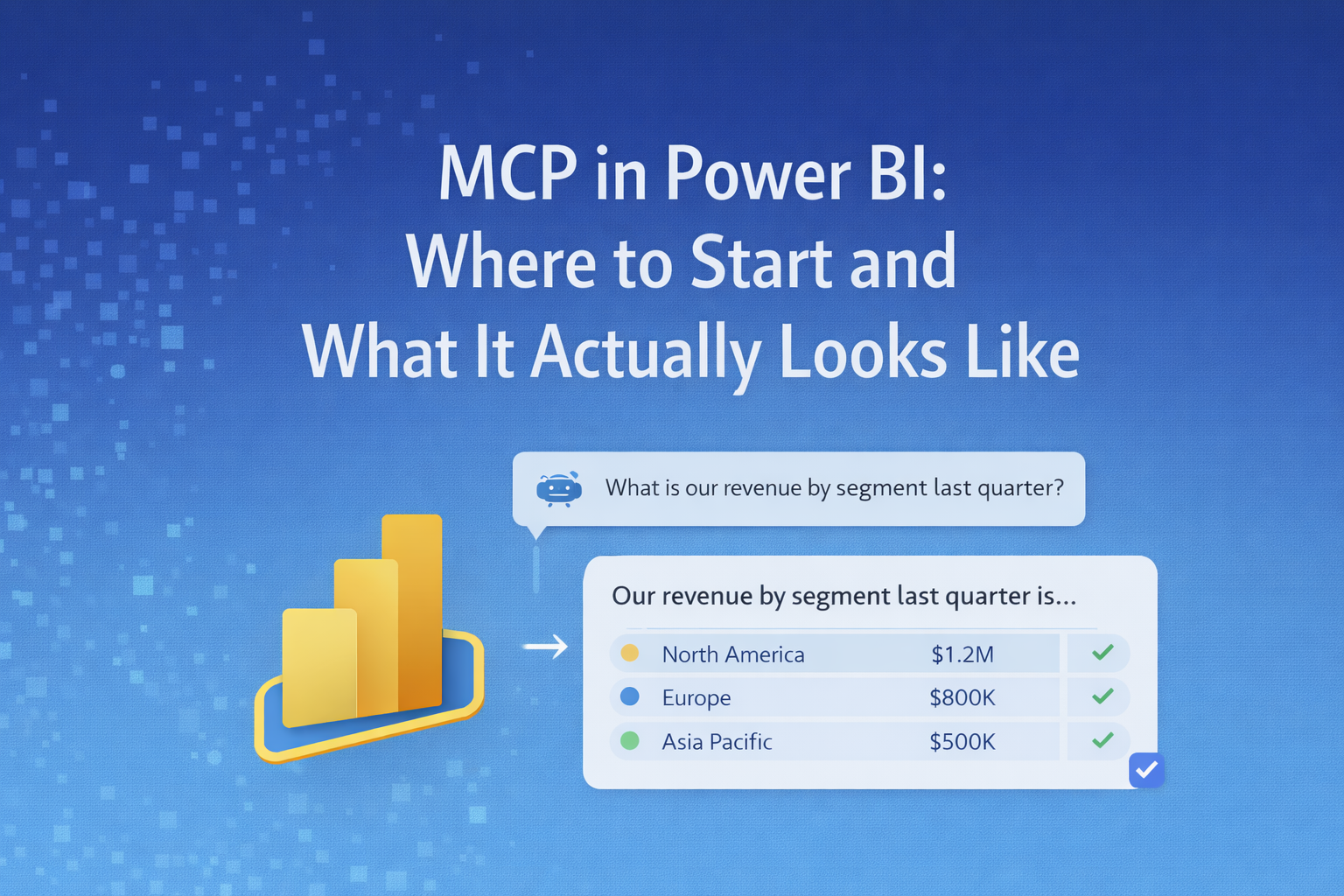
Let's start with what we promised last week in the last edition of BI Bits. I talked about a simple shift; your Power BI model doesn’t always need a report to give answers. Instead of navigating pages and applying filters, you can just ask a question and get a response directly from the model.
That idea is easy to understand. Most of us have already felt the friction of finding answers in reports, even when the data is already there. But once you get past that, the real question is, where do you actually start with this?
Because this isn’t really about setting up MCP as a concept. It’s about using your existing model differently. In this blog, I’ll focus on where to start, what to try first, and where this actually helps in practice, without overcomplicating things. And the cherry on the cake is my personal feedback and lessons learned when I tried it for the first time.
Start with your model, not the setup
The first instinct is usually to figure out how to set up MCP. That's the biggest mistake that you need to avoid. MCP doesn’t add anything new to your model; it simply exposes what’s already there. If your model depends heavily on report design to make sense, that’s exactly how it will behave when you query it directly.
Instead, start with a model you already trust. Pick one dataset where the numbers are stable and the core measures are well understood. Don’t try to apply this across your entire workspace. The goal here is not scale, it’s clarity.
Then change how you approach it. Take a couple of questions you already answered in reports and try to think of them without the report layer. That’s where you’ll start noticing what works, what doesn’t, and which parts of your model actually hold up on their own.
Where this actually helps (and how to start using it)
This starts making sense when you look at the kind of problems you deal with every day in Power BI.
You already have the data, and you already have the model. What changes here is how you access it. Instead of always going through reports, you start interacting with the model more directly, through something like Copilot, an API, or any setup that can send a question to your dataset and return an answer. You don’t need a full setup to begin. Even a basic interface that can query your model is enough to get started.
One of the easiest places to try this is the “Which report should I open?” problem. In most teams, the issue isn’t missing data; it’s finding the right place where it exists. There are too many reports, too many pages, and often similar-looking metrics. In such a scattered setup, what if I say you can take a simple question you already answer regularly, like revenue by product for the last three months, and just ask it directly instead of navigating through a report? Doesn’t it feel a bit like a wonderland?
If your model is structured well, you’ll get the answer without needing to click through anything. That’s usually the first moment where this approach starts to feel useful.
This also shows up in the constant ad-hoc questions you get from stakeholders. Most of the day-to-day work isn’t building dashboards or reports; it’s answering small follow-up questions. Someone wants to exclude a segment, look at a single region, or quickly validate a number. These don’t always justify updating a report or creating a new visual. Instead of going through that cycle, you can take one of these questions and query the model directly. If it works, you’ve saved time. If it doesn’t, you’ve learned where your model needs to improve. I consider this to be the biggest win if your reports are being used cross functional teams.
Another practical use case is debugging your own model. If you’ve worked on Power BI for a while, you’ve probably created temporary visuals just to test whether a measure is behaving correctly. You build something, check the output, tweak it, and then remove the visual later. Being able to query the model directly simplifies this. You can test breakdowns, compare outputs, and validate logic without building anything extra, which makes iteration much faster.
You’ll also notice that not every question actually needs a report. Some questions are one-off, and some keep changing slightly every time they’re asked. But today, reports are still the default way of answering everything. This is where direct querying fits naturally. You can take those smaller questions and try asking them directly instead of building something around them. Over time, it becomes clearer which scenarios need a report and which don’t.
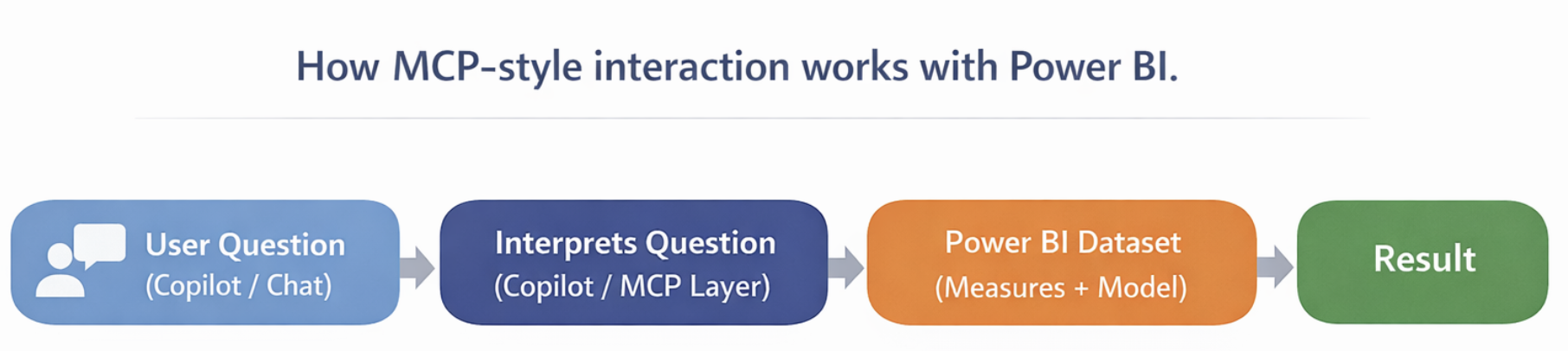
At a basic level, what’s happening behind the scenes is straightforward. You ask a question, the system translates it into a query, your Power BI model runs that query, and the result comes back using the same measures and logic you’ve already defined. You’re not rebuilding anything, you’re just accessing it differently. Simple, right😅
Pro tip: The first time you try this, you’ll usually see one of two outcomes. Either the model responds cleanly and gives you exactly what you expect, or it struggles unless a report is guiding the interaction. Both are useful signals. Because at that point, it’s no longer about MCP itself; it’s about how well your model holds up when it’s used this way.
How to start (setup, tools, and prerequisites)
If you want to start using MCP-style interaction with Power BI, you don’t begin with MCP itself. You start by making sure your setup can expose your model to something that can query it. At a minimum, you need three things in place.
First is your Power BI dataset, published to the Power BI Service. This should already be something you’re using in reports, with measures defined and working as expected. The key here is that your dataset is not just local, and it needs to be accessible in the service because that’s what external tools and interfaces will connect to.
The second piece is having a way to interact with your dataset without going through a report. If you’re already using Power BI, the easiest place to start is Copilot. You’ve probably seen it in the Service, even if you haven’t used it yet. If it’s available in your environment, you don’t need any additional setup; just open it and start interacting with your model.
Copilot works directly on top of your dataset. Instead of navigating reports, you can ask for what you need, and it will generate results using your existing measures and logics. If you don’t see Copilot, it’s usually a licensing or tenant setting issue. In that case, it’s worth checking internally before looking at more complex options like APIs or MCP setups. At this stage, the goal is simple: to have at least one way to query your model without opening a report.
The third piece is permissions, and this is where things often get blocked. To query a dataset outside of reports, you need the right level of access in Power BI Service. If you’re testing this yourself, make sure you have Build permission on the dataset. Without that, even if Copilot or any external interface is available, it won’t be able to return results.
Once this is in place, the overall flow is fairly simple. Your dataset sits in Power BI Service, and something like Copilot interacts with it directly using the same measures and relationships you’ve already defined. You’re not creating anything new here, just accessing the same logic differently.
If you want to go one step further later, this is where MCP-style setups come in. Instead of only using Copilot, your dataset can be exposed to other tools through an API or a lightweight middle layer. But what is this middle layer? It can be -
- Simple API built using something like Azure Functions
- A small backend service that calls the Power BI REST API
- Or an MCP-compatible server that knows how to send queries to your dataset
That setup allows external systems to send queries to your model and use the same definitions outside Power BI.
You don’t need to start there if you are new to this combination of Copilot and Power BI. A more practical approach is to begin with Copilot, make sure your model responds correctly, and only then think about extending it further. Once that works, the problem shifts from “how do I model this?” to “how do I integrate this?”
What actually happens when you try this for the first time?
The first time you try this with a real model, it doesn’t feel as smooth as the idea suggests. You expect it to behave exactly like your reports, but that’s not always the case.
Some questions work immediately and are straightforward. You ask for a simple breakdown, and the numbers match what you see in your visuals. That usually gives you confidence that your core measures are in good shape. This can only go right if the foundation of your model is set up correctly.
But the moment you slightly change the question, things start to show up. In one of the first tests, asking for revenue by region worked fine. But when I added a condition, like excluding a segment, the result didn’t match what the report was showing.
That wasn’t an issue with Copilot or the interface. It came down to how the model was built. The exclusion logic was handled inside the report, not in the measure itself. Most of the time, you will feel like your model is set up correctly, but the core problem is that the logic simply doesn't live there.
You also start noticing how much the report was doing for you. Naming that felt clear during development suddenly feels ambiguous without visuals. Some measures only make sense when you see them in a specific context.
That’s when the shift becomes real. Reports often smooth over inconsistencies by guiding the user. When you remove that layer, the model is exposed as it is. And honestly, that’s the most useful part of trying this. It gives you a very direct way to see how strong your model actually is, without relying on report design to hold things together.
These are the core learnings that I gained after trying it for the first time, and I would like to hear your learnings too in the comment section
- Naming needs to be clear on its own, not dependent on visuals or page context
- Core business logic should live in measures, not inside report-level filters or visuals
- There should be a single, consistent definition for key metrics like revenue, not multiple variations
- Relationships and model structure should support different ways of querying, not just one report flow
Pro tip: One thing that helps here is treating documentation as part of the model itself. Descriptions on measures, tables, and columns aren’t just for developers; Copilot actually uses them as context. So the clearer your definitions are, the better the responses tend to be.
Closing Thought
At this point, MCP with Power BI is no longer just an idea. You’ve seen where it fits and how to start using it without overcomplicating the setup.
What matters more than the setup is how your model behaves when it’s used this way. Once you move beyond reports, nothing is guiding the interaction. The model needs to stand on its own, with clear logic and consistent definitions.
That’s the real shift. You’re not just building reports anymore; you’re building a layer that can answer questions wherever it’s used.
Comments
Join the discussion below (GitHub login required), or share your thoughts on LinkedIn . I’m most active there.