Another week, another blog, and today we will be talking about a very common problem that a BI team can face at some point: your Power BI setup stops feeling clean. It doesn’t happen suddenly; there’s no clear breaking point, just small signs that start adding up. Let's take these 2 scenarios.
Scenario 1
You open Power BI Service to quickly check something, and instead of jumping straight to the answer, you pause. There are multiple versions of the same report. Same name, slightly different layouts, different refresh times. You open one, then another, and the numbers don’t match. What should have taken 30 seconds now turns into 10 minutes of figuring out which version is even safe to use.
Scenario 2
And then there are those moments that make it worse. A report that should clearly be in production is sitting in the dev workspace. Dev, Test, Prod exists but no one is really following it. You don’t notice it immediately, but over time, it adds to the confusion.
Those two scenarios can create a lot of clutter if you have a bigger stack of reports to manage. Datasets don’t make it any easier. “Sales_Final”, “Sales_Final_v2”, “Sales_Model_New”, “Sales_Model_Latest”. At some point, “final” just stops meaning anything. Naming conventions exist, but they’re not consistently followed, so you stop trusting them altogether.
I’ve been in situations where I just needed a number for a quick discussion, and instead spent time opening multiple reports, cross-checking visuals, and second-guessing everything. And the uncomfortable part is, you realise this isn’t just you. Others are doing the same thing, just not saying it out loud.
Then it starts showing up in conversations. Someone mentions a number that doesn’t match what someone else saw. The immediate question isn’t about logic or calculations, it’s simply: which report are you using?
That’s usually the point where confidence starts to drop. Not because the data is wrong, but because no one is completely sure anymore. And once that trust starts slipping, even a correct report starts getting questioned.
This is typically where the conversation starts to shift. Not towards rebuilding reports, but towards something else, who owns what, what should be used, and what needs to change. That’s where governance quietly starts to come into the picture.
This is usually where things start to change
This is usually the point where the questions start changing. Earlier, it was more about building things and maintaining them. Now it becomes about understanding what already exists and who is responsible for it.
- Who owns this dataset?
- Which report should we actually use?
- Who made this change?
- Is this report in Dev or Prd?
No one really calls it governance at this stage. It just feels like things are getting harder to manage, and there is no clarity. I remember in one project, we had two teams building reports on what they thought was the main dataset. Both datasets looked very similar, and both were considered “final” by their respective teams. It only became a problem when the same numbers started showing up differently in meetings.
That’s when people start realising that this is not just a reporting issue. It is more about how things are being managed behind the scenes. You start noticing small changes in behaviour. Someone checks before creating a new dataset. Someone asks if a report already exists. There is a bit more hesitation before publishing something directly.
It is still not structured. There is no formal framework in place. But there is a clear shift from just building things to trying to bring some control into the setup. This is usually where governance starts coming into the picture, even if no one explicitly calls it that.
What does governance actually look like in practice?
At this point, governance usually starts coming up in conversations. Not as a formal definition, but more as a need. In simple terms and in human language, governance in Power BI is about bringing some structure to how things are built and used. It is less about control and more about avoiding confusion.
Okay, at the start, nobody will like doing this because it is like removing clutter from your house, but once you do it, you will realise there is so much space, everything is organised, and you can find things much more quickly. So it is not about stopping people from building reports. It is about making sure people are building on the right things and in a quicker manner.
Most of the time, the problems are already visible. The only thing is, most teams ignore them until it becomes painful enough to fix.
You have multiple datasets for the same business logic because people were not aware of what already existed. A simple way to reduce this is to make dataset creation more visible, even if it is just a quick check with the team before building something new.
Reports are published across different workspaces without much consistency. Dev, Test, and Prod exist, but they are not followed strictly. This usually improves once production access is slightly controlled and important reports are pushed through a more defined flow. This setup will take some time, but as a start, try to keep workspaces clean so that unnecessary reports do not lie around. You can do the first cleanup manually, and it should be the responsibility of all BI developers. You can also set up a Power Automate flow to clean workspaces after a certain number of days if they are unused.
Naming is another small thing that creates bigger issues over time. When everything is called “final” or “latest”, names stop helping. Even a basic naming approach makes it easier to navigate later. As a team, come up with a standard naming convention and follow it consistently.
Ownership is often unclear. When no one owns a dataset, changes become risky and issues take longer to resolve. Assigning ownership, even informally, brings a lot more clarity. You can maintain a simple document listing report and semantic model owners, and the same can be done for backend jobs.
I remember one project where a sales dataset was being used across multiple reports. Over time, different versions of it started appearing because small changes were made separately. It only became a real issue when the same KPI showed different numbers in leadership discussions. We did not introduce a big governance framework. We just agreed on one main dataset and made one person responsible for it. That alone removed most of the confusion.
Okay, in theory, this looks very simple, but in practice, it is not so simple for a team because it requires a change in mindset before doing any of these things. You don’t need a full governance model to start seeing improvements. If you are new to governance, here is a small takeaway from this blog. A few small steps are usually enough to make things more manageable:
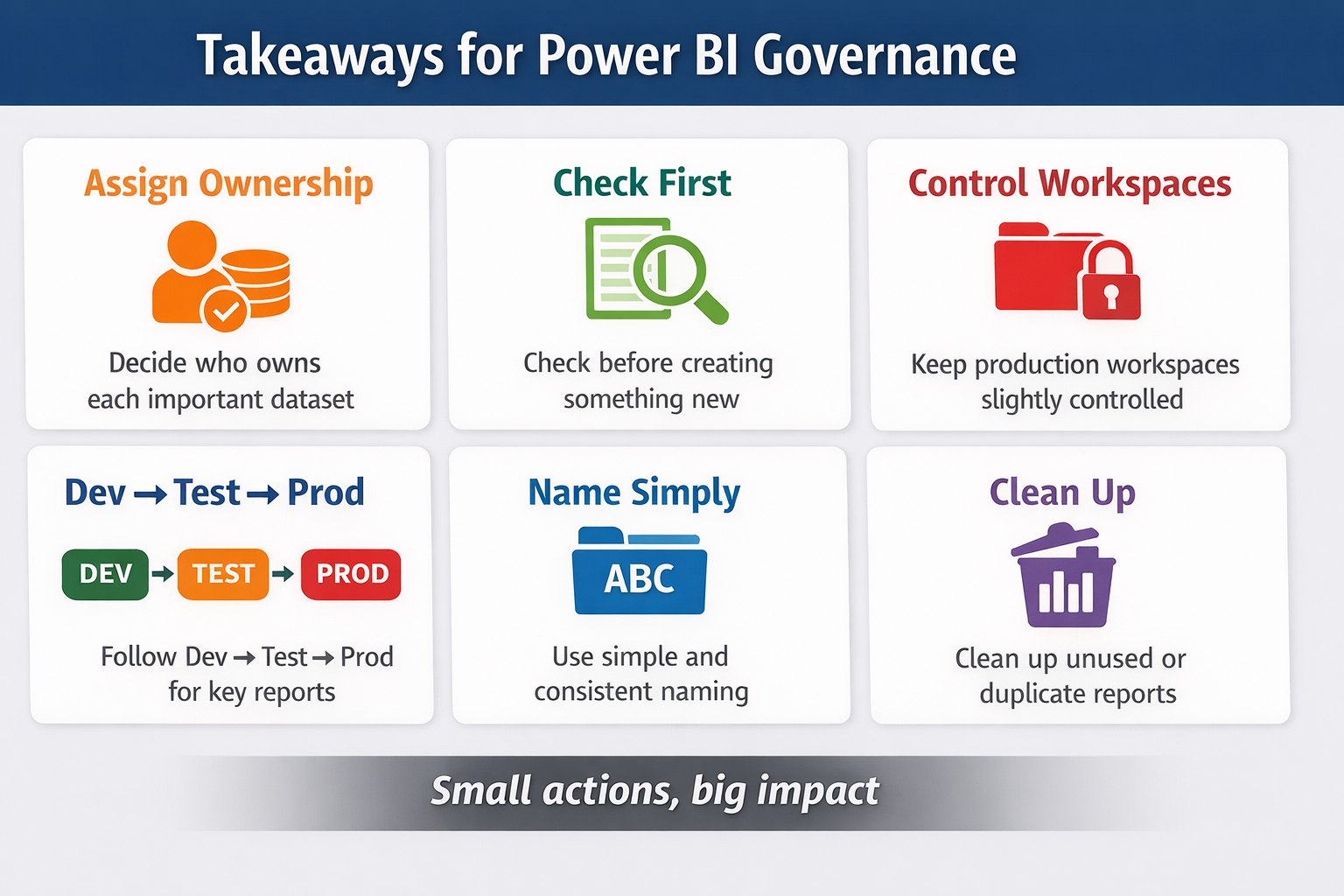
- Make it clear who is responsible for key datasets and reports
- Take a moment to check what already exists before creating something new
- Keep production workspaces a bit more controlled
- Use Dev, Test, Prod for important reports wherever possible
- Stick to simple and consistent naming conventions
- Regularly clean up reports that are no longer used or duplicated
This is usually how governance starts. Not as a big design, but as small changes that make the setup easier to trust. This is just the tip of the iceberg. There is a lot more in governance that you can do. We will be covering part 2 in this governance series.
Pro tip: Keep a simple list of “approved” datasets somewhere visible. It doesn’t need to be perfect, just something the team can refer to. These are typically the datasets that are trusted, used across multiple reports, and should not be recreated unless really needed.
Where does it still go wrong?
Even after putting some structure in place, things don’t stay clean for long. What starts as a well-organised setup slowly begins to drift again if it is not maintained. This is a very common phenomenon.
“Temporary” reports are a common example. Someone builds something for a quick requirement, and it never gets cleaned up. Over time, these reports start looking like official ones, and the same confusion comes back.
People still export to Excel. Not because the reports are not useful, but because it is faster for them to do their own analysis. Governance does not really stop this behaviour; it just makes it more important to have a clear source of truth behind those exports.
Ownership also becomes unclear after some time. Someone moves to a different project or leaves the team, and suddenly no one is sure who is responsible for a dataset or report.
Rules exist, but they are not always followed. Especially when timelines are tight, people tend to skip steps and publish things directly just to get something out quickly. I have seen setups that were quite structured slowly move back into a messy state, just because no one was actively maintaining them.
That is the part most teams do not think about. Governance is not something you fix once and move on from. It needs a small, consistent effort to keep things in shape.
Closing thought
Governance is not something you design perfectly from the start.
It usually comes into the picture when things stop being simple, and you start feeling the friction in your setup. Most teams don’t plan for it early; they react to it later, and that is completely fine.
You don’t need a big framework to get started. A few small changes, done consistently, are usually enough to make things easier to manage and easier to trust. Also, from experience, I can say Governance works better when it is owned by the team, not just one person trying to enforce it.
This is just the starting point. As your setup grows, governance will need to evolve with it, and we will go deeper into that in Part 2.
Comments
Join the discussion below (GitHub login required), or share your thoughts on LinkedIn . I’m most active there.