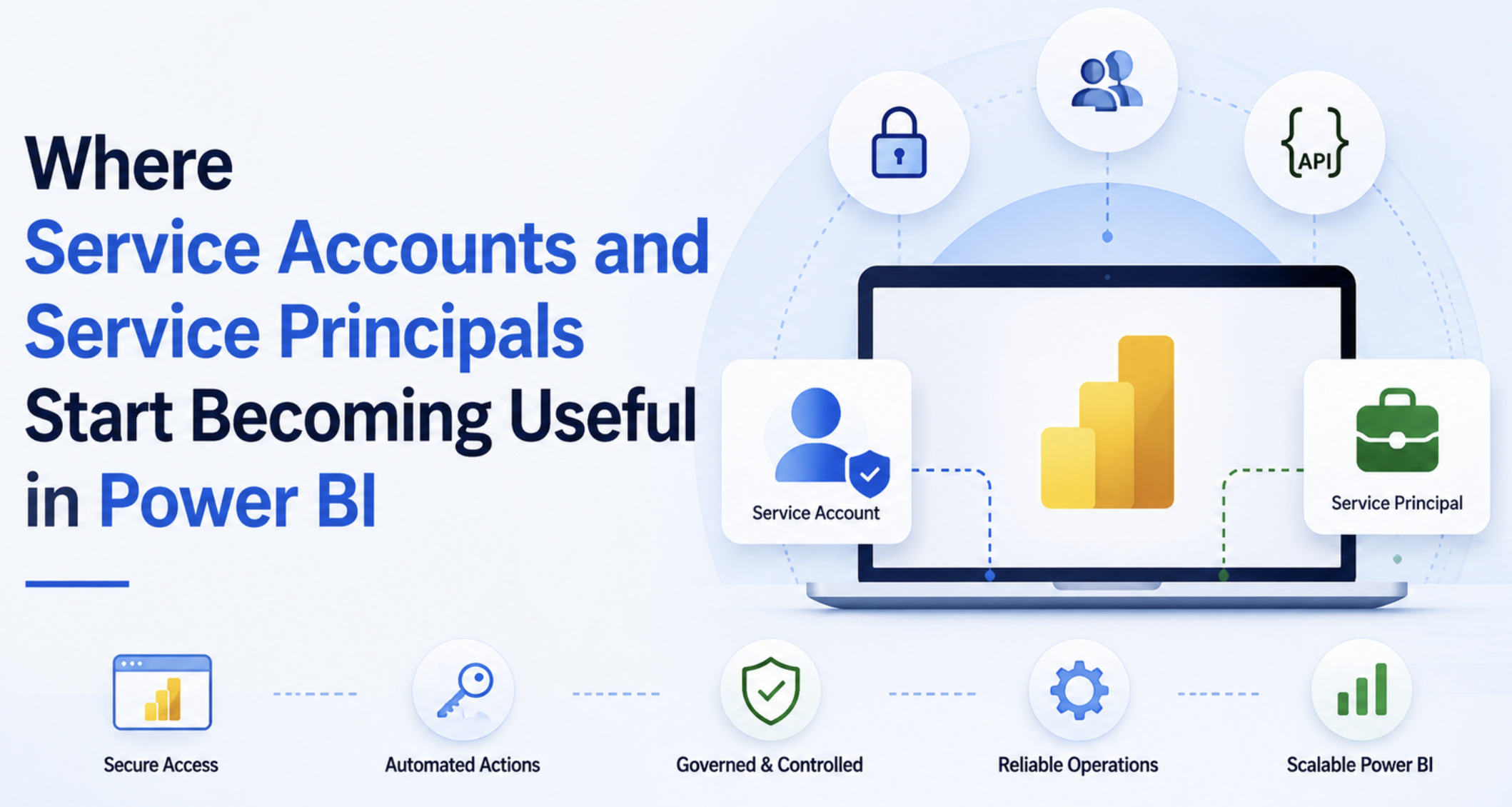
In the last BI Bits edition, we talked about how operational ownership inside Power BI environments slowly becomes tied to individual developers over time; refreshes, Power Automate flows, APIs, deployments, and support responsibilities quietly become dependent on personal accounts behind the scenes.
What makes this topic interesting is that most teams do not really notice the problem during the early stages. The dashboards usually continue working fine. The problem starts appearing much later once environments become more connected through shared semantic models, automation, APIs, and larger support responsibilities.
In this blog
- Where service accounts and service principals start becoming useful in Power BI?
- Operational challenges around refreshes, Power Automate flows, APIs, and deployments
- Why production environments slowly become difficult to support when ownership stays tied to personal accounts?
- Simple operational patterns that reduce production guesswork and make environments easier to manage in long-term
Production Refreshes and Shared Semantic Models
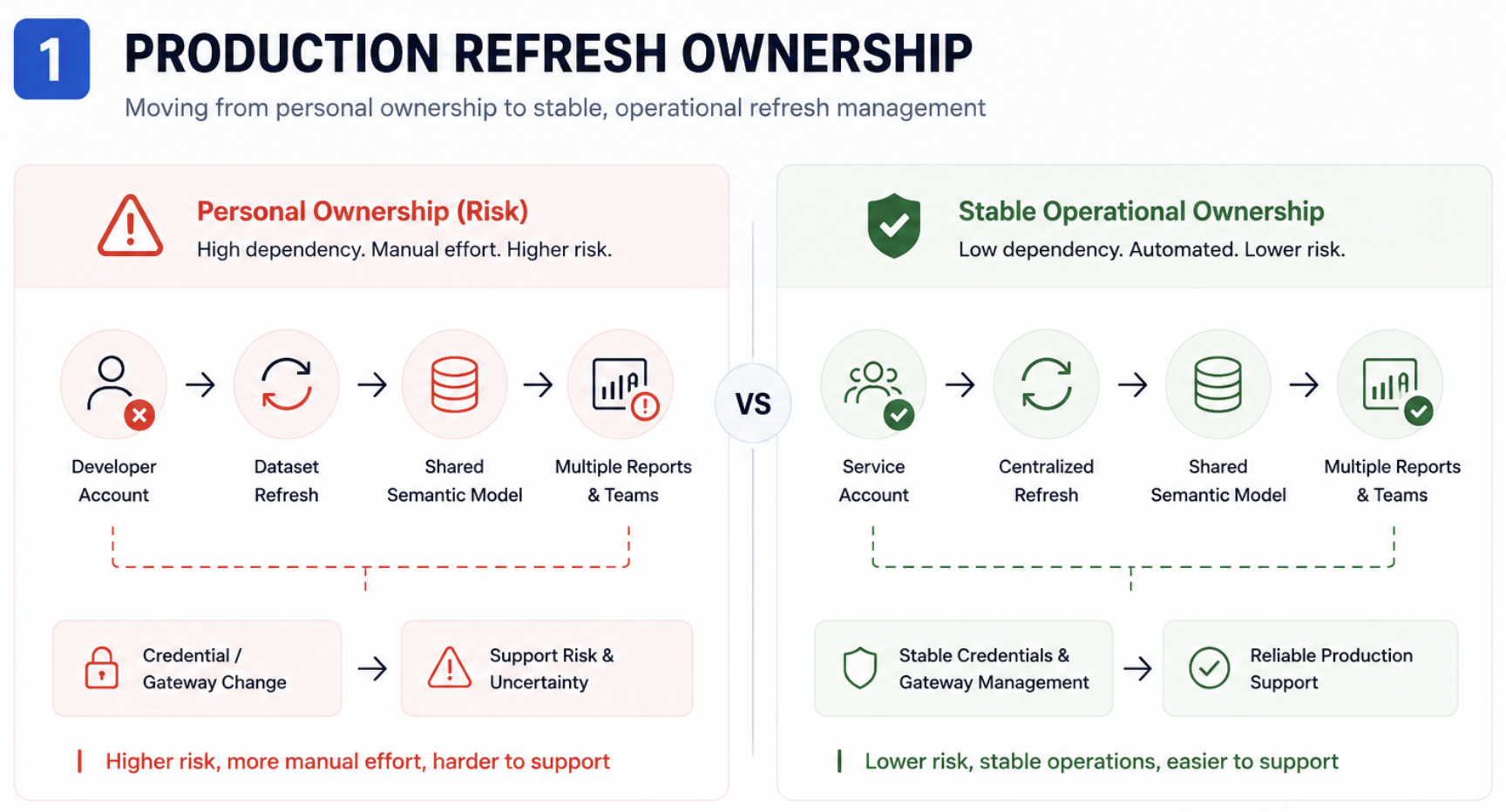
One developer changes their password, and suddenly things start failing in production. The real problem usually is not the refresh itself. It is losing visibility into what else depends on the same semantic model behind the scenes.
This is usually where service accounts start becoming relevant for production refresh ownership. Especially once shared semantic models start feeding multiple reports, apps, or business teams. What also becomes useful at this stage is getting visibility into things like -:
- Who owns the refresh?
- Whether personal credentials are being used
- Which reports depend on the same model?
- Whether gateway ownership is centralized
This is also where Power BI APIs start becoming genuinely useful. Even a small inventory of refreshed ownership and model dependencies removes a lot of production guesswork later.
Service principals usually become more useful as environments move deeper into deployment automation, monitoring, APIs, or backend operational processes, where automation should no longer depend on user accounts.
Power Automate Flows Quietly Becoming Business Critical
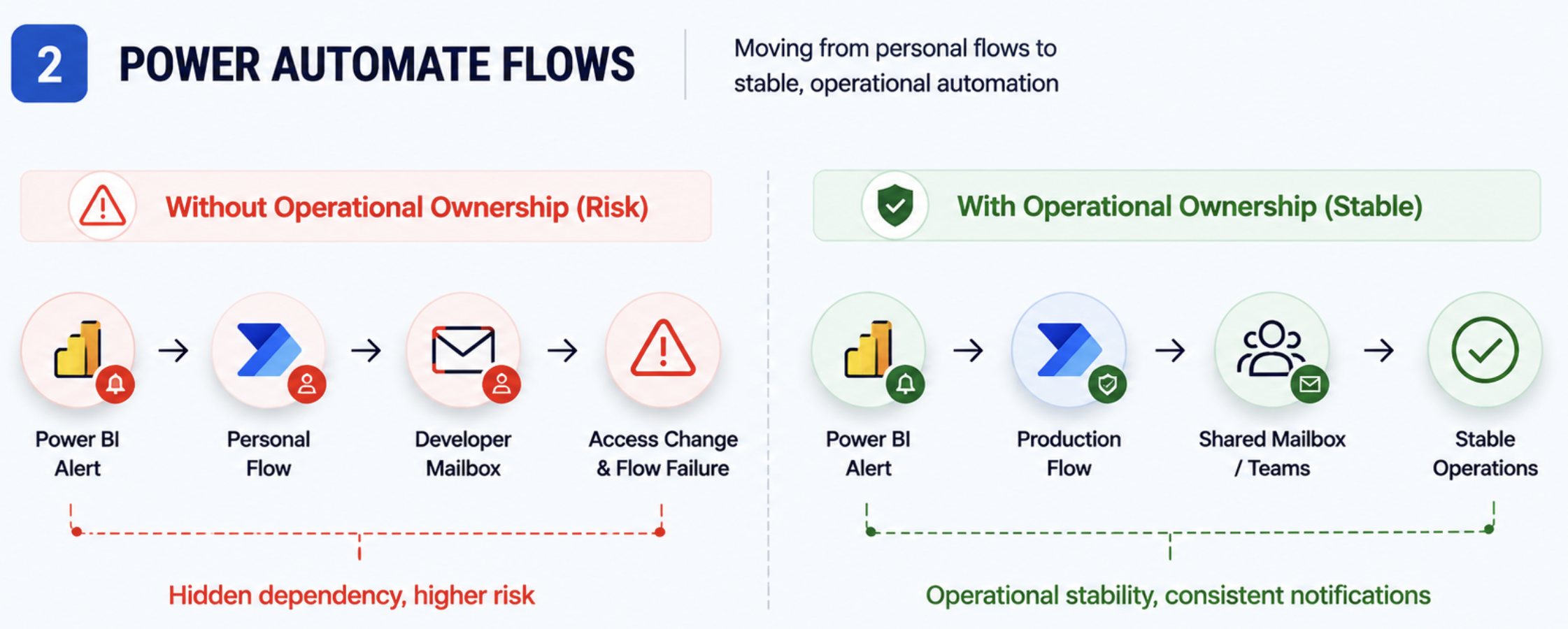
Most Power Automate flows usually start small with personal accounts: refresh alerts, export emails, approval workflows, ticketing, or operational notifications.
The problem appears later when those same flows quietly become part of production. A refresh alert stops working after an access change. Export emails fail because the original owner moved teams. Nobody knows which mailbox or credential the flow still depends on behind the scenes.
This is usually where service accounts start becoming more practical for operational flows, especially where ownership should survive individual role changes.
Service principals usually become more useful later, once the automation moves deeper into APIs, deployment pipelines, monitoring scripts, or backend operational processes, where the goal is to remove user dependency completely.
Even small things like shared mailboxes, centralized Teams channels, separating production and test flows, and consistent naming conventions make these environments much easier to support as they grow.
APIs, Monitoring, and Deployment Automation
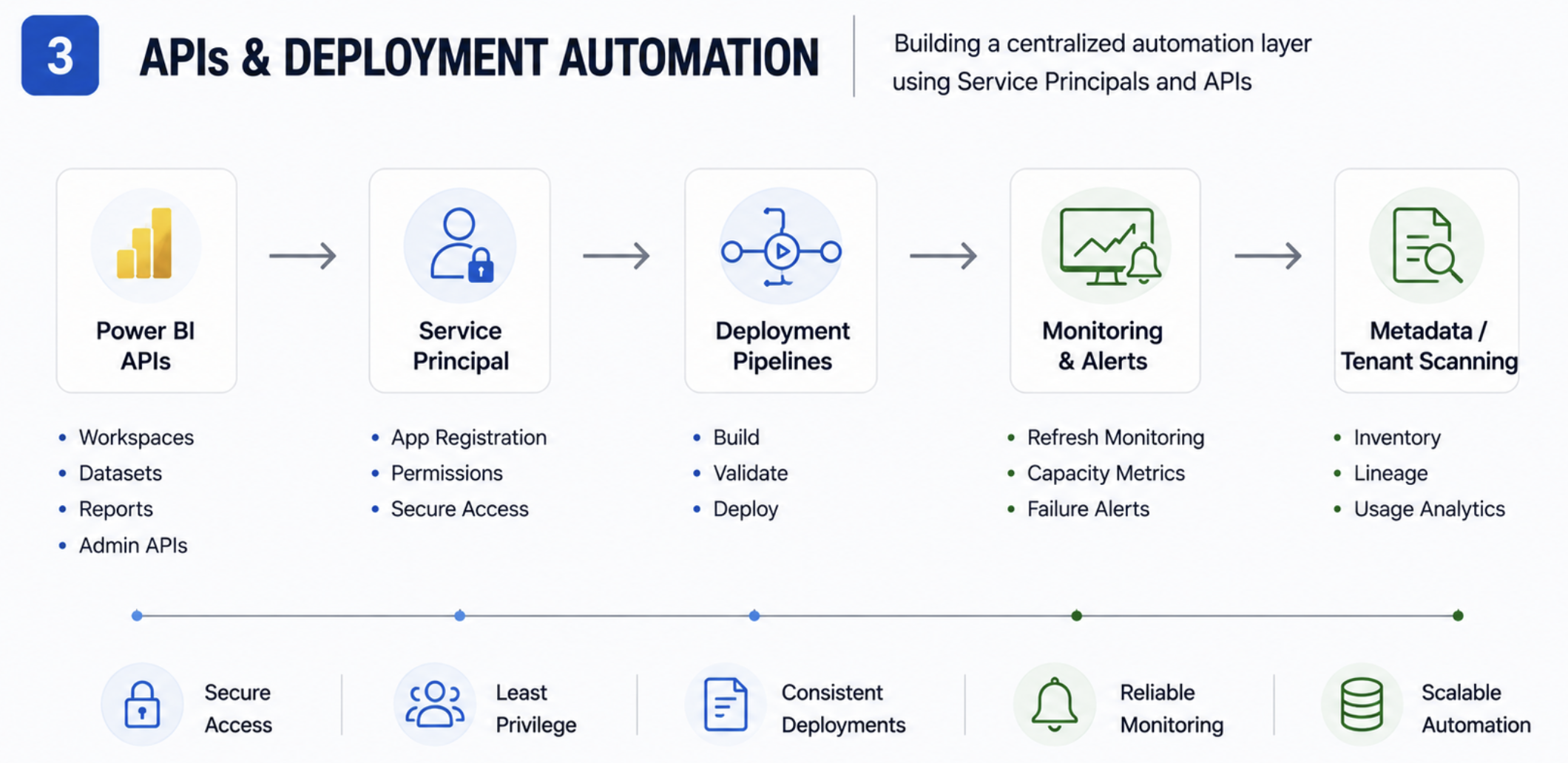
Most API scripts and deployment automations usually start by using developer credentials. A small metadata extraction script, refresh monitoring check, or deployment helper built to solve an immediate operational problem.
The problem appears later when those same scripts quietly become part of production. Monitoring breaks after an access change. Deployment jobs fail because credentials were tied to a personal account. Sometimes, nobody even realizes a critical operational script is still running from somebody’s laptop until it stops working.
This is usually where service principals start making much more sense than service accounts. Especially for APIs, deployment pipelines, monitoring, tenant scans, or backend automation, where production processes should not depend on individual users anymore.
A practical shift here is moving production automation away from personal environments and into shared operational ownership; centralized repositories, scheduled cloud jobs, or shared automation workspaces.
Production Publishing and App Ownership
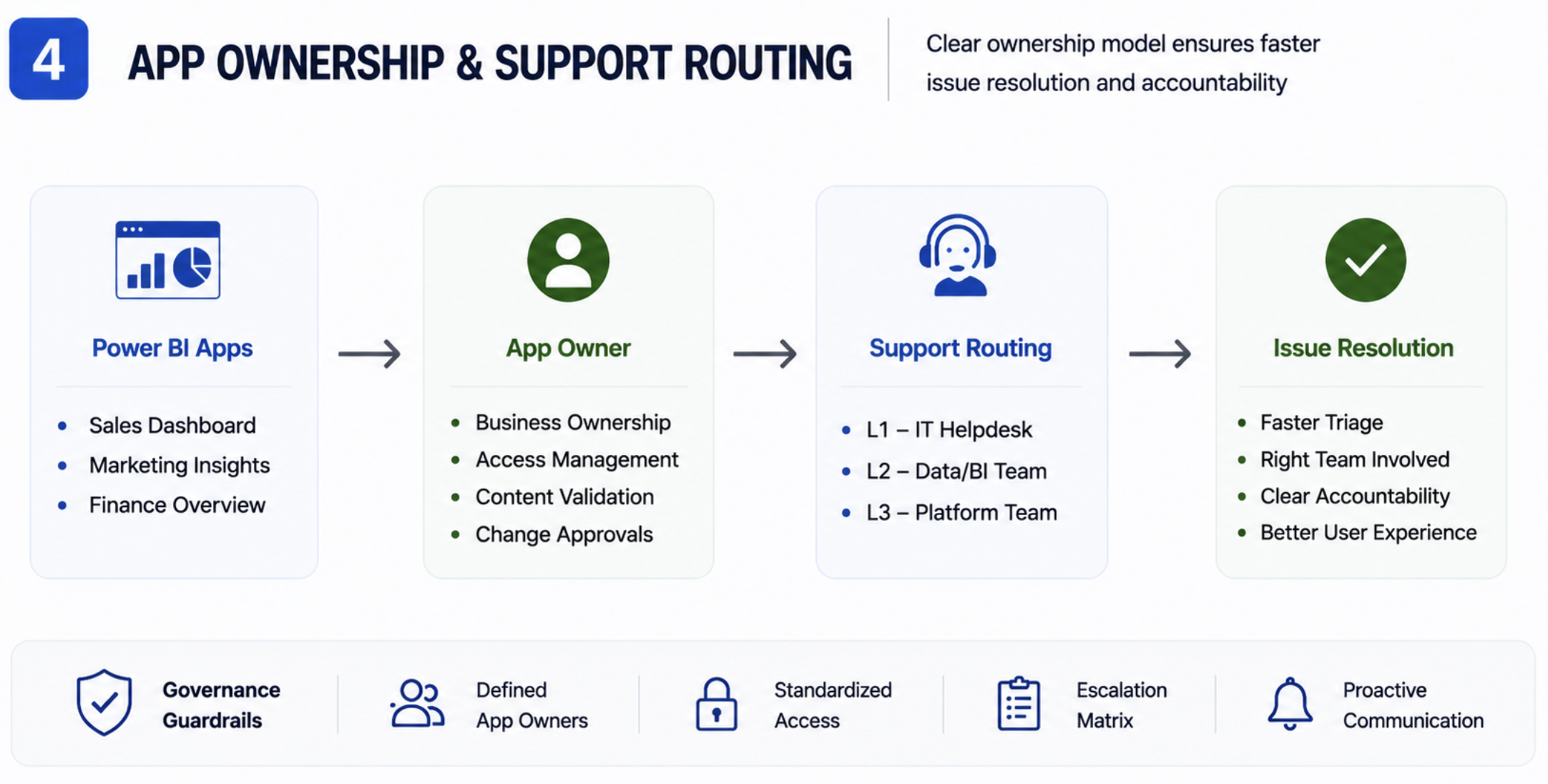
In many teams, production apps and workspaces slowly become linked to individual developers over time. Business users see one person listed as the app owner and directly contact them for every support issue, refresh problem, or access request.
This is usually where service accounts start making more sense for production-facing ownership. Especially for production apps, shared support activities, or controlled publishing processes where ownership should remain stable beyond individual developers.
Service principals usually become more useful slightly later, once deployment pipelines, APIs, or release automation start becoming operational processes where authentication should not depend on user accounts anymore. Practical shift should look like this setup -:
- Keeping service accounts as production app owners instead of individual developers
- Routing support through shared Teams channels or support mailboxes
- Limiting direct PRD publishing access and using deployment pipelines for releases
- Moving deployment automation toward service principals instead of personal credentials
This does not mean individual developers should never have admin access. Developers still need flexibility to test and support production issues. The larger goal is simply making sure production ownership does not depend entirely on one account in long-term.
Where To Start from Monday Morning?
One mistake I’ve seen quite often is teams trying to redesign the full Power BI environment immediately after realizing ownership has become messy. In reality, it is usually much more practical to stabilize a few production-critical areas first.
A practical split that usually works well is -:
- Service accounts for user-facing operational ownership like production refreshes, Power Automate flows, support notifications, shared mailboxes, or production app ownership
- Service principals for backend automation like APIs, deployment pipelines, monitoring scripts, tenant scans, or scheduled operational jobs
Another important shift is separating production operations from developer experimentation. Developers still need flexibility to test, troubleshoot, and move quickly. The goal is simply making sure production-critical ownership does not depend entirely on one personal account in long-term.
Usually, even small operational improvements create a big impact early -:
- Shared support channels instead of individual contacts
- Production automation stored in shared repositories instead of laptops
- Separate production and test automations
- Avoiding hardcoded credentials inside scripts and flows
One thing teams usually realize much later is that service accounts and service principals can quietly become some of the most powerful accounts in the environment. Over time, they start accumulating access to Power BI workspaces, gateways, backend databases, deployment pipelines, APIs, mailboxes, or monitoring processes because different operational problems keep getting solved through the same account.
The problem usually appears later when nobody is fully confident in changing permissions anymore because it is unclear what else might stop working behind the scenes. That is why keeping access controlled, documented, and operationally owned becomes important very quickly once these setups start growing.
Closing Thoughts
One interesting thing about Power BI environments is that operational complexity usually grows much faster than teams expect. A setup that works perfectly fine for a handful of reports and developers can start feeling very different once shared semantic models, automation, APIs, and production support responsibilities begin stacking on top of each other.
Personally, I think the important shift is not really about introducing more governance terminology into Power BI. It is about making production environments easier to support confidently as they scale. Because after a certain point, the challenge is rarely building the dashboard itself. The harder part is managing everything operating quietly around it long-term.
Comments
Join the discussion below (GitHub login required), or share your thoughts on LinkedIn . I’m most active there.